Block distractions
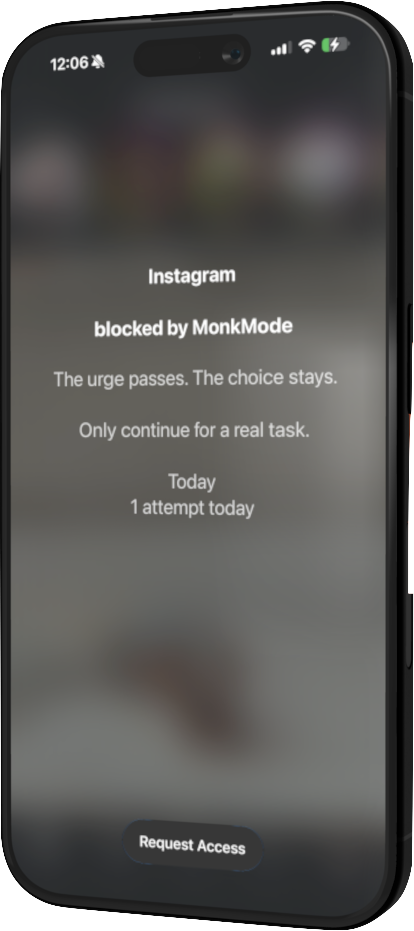
Block selected apps immediately or on a schedule.
Available for iPhone
Stop automatic scrolling with scheduled blocks, app limits, and added friction before opening distracting apps.
30 days free for eligible new subscribers, then $2.99 per month. Cancel anytime.
Continue with Google so your Stripe purchase unlocks the correct Monk Mode account. Stripe shows the billing date and terms before you confirm.
How it works
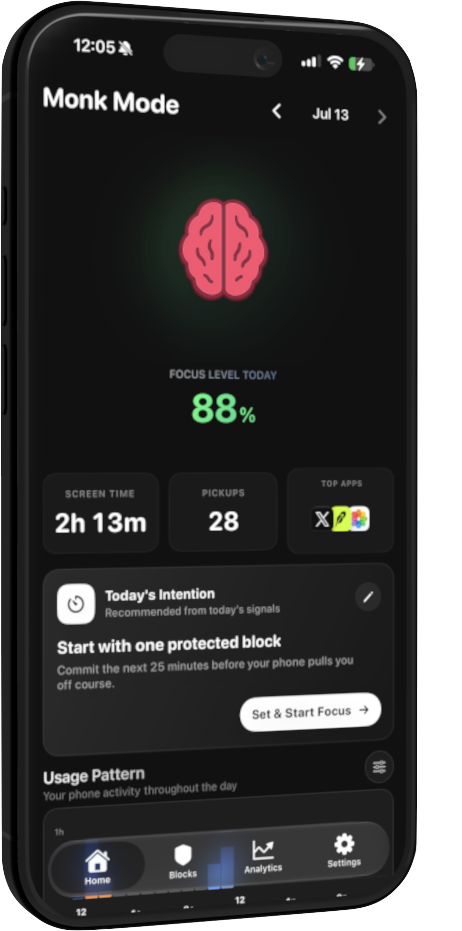
This walkthrough uses real Monk Mode app screens. Choose a step to see the setup, the blocked-app experience, and your activity view.
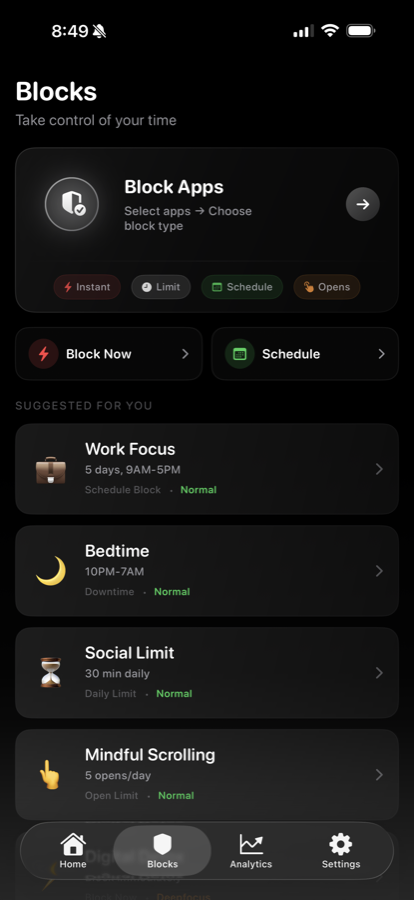
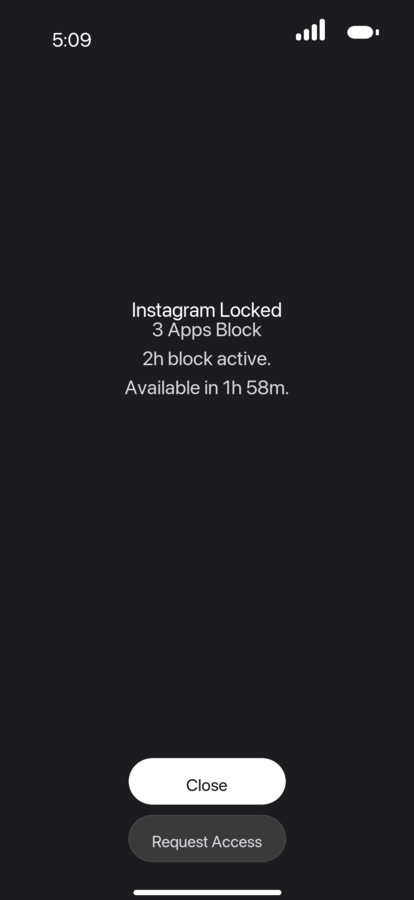
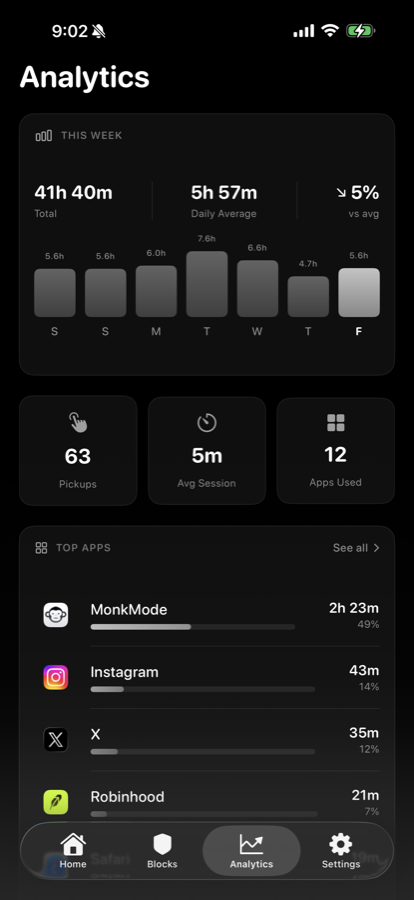
Screens are from product builds and may change as the app improves. A real-device selective-filter recording is not yet available on this site.
Three useful controls
Block selected apps immediately or on a schedule.
Limit app openings and add friction before distracting actions.
See screen-time patterns and focus activity over time.
Selective controls
For supported experiences, Monk Mode can help reduce short-form feeds while preserving more intentional use.
Explore the current options for reducing Reels and other feed surfaces while keeping access to messages.
Instagram control details →Explore the current options for reducing Shorts and recommendations while keeping intentional video.
YouTube control details →Important: Selective controls depend on iOS and the third-party app’s current behavior. Coverage can change after app updates. Check the options shown inside Monk Mode for current availability.
Simple pricing
Continue to secure Stripe checkout, then install Monk Mode and set up your first block.
30 days free
Then $2.99 per month
For eligible new subscribers. Stripe shows the exact billing date before you confirm. Cancel before the trial ends to avoid the first charge.
FAQ
Monk Mode blocks the iPhone apps you select using immediate blocks, schedules, time limits, or opening limits. The options available are shown clearly inside the app.
Yes. You choose which apps are restricted and when each rule applies.
Selective controls are available for some supported experiences, such as reducing short-form feeds. Because iOS and third-party apps change, check the in-app options for current coverage.
If you are eligible and do not cancel, the Stripe subscription begins after 30 days at $2.99 per month. Stripe shows the exact date before you confirm.
Yes. Manage or cancel the web subscription through the Stripe customer portal. Cancel before the trial ends to avoid the first charge.
No. Monk Mode does not need to read private messages, posts, or the content inside other apps to apply iOS Screen Time restrictions. See the privacy policy for data details.
Monk Mode is built for iPhone. The App Store listing shows the current minimum iOS version and compatibility for your device before you install.
Available for iPhone
Start with one distraction and one realistic boundary.
For eligible new subscribers. Stripe confirms the offer before you subscribe.